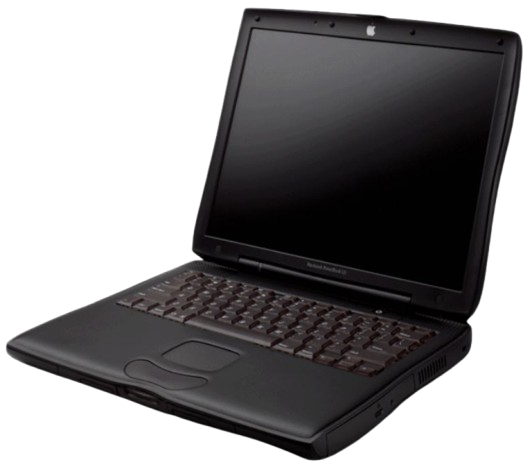
PowerBook G3 (Lombard)
The PowerBook G3 "Lombard" was the fourth revision of the PowerBook G3. It was released in May 1999. The Lombard was the first PowerBook with USB ports, and the last with a SCSI port. It used a thinner design than its predecessor, and shipped with faster processors (of course). It was replaced with the PowerBook G3 "Pismo" in 2000. Apple's official name for the Lombard is "PowerBook G3 (Bronze Keyboard)"
Specifications
| Spec | Details |
|---|---|
| Release Date | May 1999 |
| Discontinuation Date | February 2000 |
| Processor | CPU Type: Soldered BGA (on daughtercard) PowerPC G3 @333 or 400MHz |
| RAM | PC100 SDRAM, 2 slots Standard: 64MB Maximum: 512MB |
| Hard Disk | 2.5" IDE Uses proprietary adapter: Yes Standard: 4 or 6GB |
| Display | 14.1" Active Matrix LCD @1024x768 |
| GPU | ATI Rage LT Pro VRAM: 8MB |
| Main Battery | Lithium Ion (50Wh), supports dual batteries via modular bay. |
| PRAM Battery | Proprietary Lithium |
| Power Supply | 24V RCA-style jack - same as the Duo/1400/3400/iBook Clamshell chargers. Any with that plug will work. - Shipping charger is Apple P/N M4402 |
| Disk Drives | Lombard/Pismo Modular Bay with the following available modules: - 24X CD-ROM Drive - DVD-ROM Drive - Secondary Battery - Others? |
| PC Cards | 1x PCMCIA/CardBus Slot (Type II) |
| Networking | - 56k Modem - 10/100 Ethernet |
| Other I/O | - 1x HDI-30 SCSI - 1x VGA Out - 2x USB 1.1 - 1x S-Video Out - 1x Line In - 1x Line Out - Infrared |
| Pointing Device | Trackpad |
| Minimum Mac OS | Mac OS 8.6 |
| Maximum Mac OS | Mac OS X 10.3.9 Mac OS X 10.4.11 (unofficially) |
Resources
 Service Manual |
|---|
Upgrades
SSD Upgrade
See our page on IDE SSDs for more info.
From the options on that page, I'd recommend the IDE to mSATA adapter.
CPU Upgrades
Third-parties manufactured G4 upgrade cards for the Lombard.
Common Faults & Maintenance
Weak Hinge Design
The Lombard's hinges are a weak design, and wear out easily. If you have a Lombard with a floppy hinge, you will need to source replacement hinges, as this is not an issue you can simply repair.